 Deutsch
 English

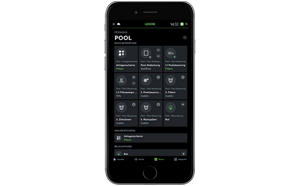
With the Loxone system diagram control, visualize, and monitor the components of the iQnnect pool technology within the Loxone app. The graphical user interface enables intuitive operation, customization, and access to your pool technology - even remotely.
- Comfortable
- Flexible
- Secure
- Premium quality

Clear & Centralized Control with the Loxone System Schematics
The Loxone System Schematics is a graphical user interface for displaying technical systems, room layouts, and system interconnections. It allows you to clearly display important system information and directly control integrated components - conveniently via the Loxone Smart Home App.
Configuration is performed using the Loxone Config software.
In the iQnnect system, the System Schematics serves as the central user interface for the integrated pool technology. It combines the visualization, control, and monitoring of the available pool functions into a single, centralized view.
This allows you to keep track of the essential information about your pool system and operate available functions directly through the familiar Loxone app.
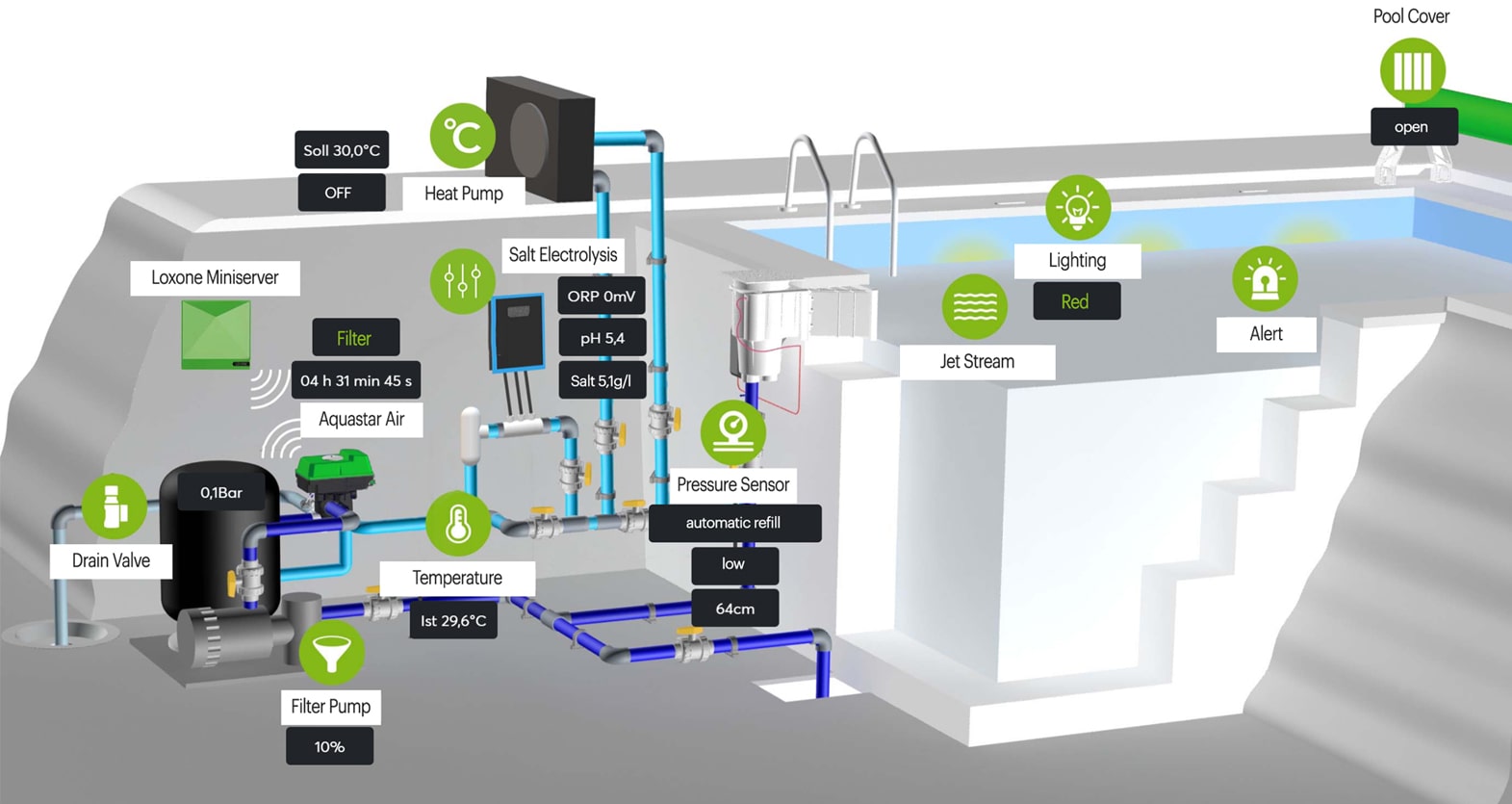
Whether you are a private user or a professional, the graphical display makes even complex systems clear and individually controllable.
The functions of the System Schematics
Clear visualization
Key measurement values and system statuses are graphically processed and displayed centrally. This allows you to identify relevant system statuses at a glance.
Direct control via the app
Control the integrated and properly configured components of your pool system directly via the System Schematics.
Automation & operating modes
You can define which actions should be performed in response to specific events or system states.
Smart notifications
The system can automatically send notifications to your smartphone or tablet when specific irregularities are detected.
Modular system & easy customization
The System Schematics is completely modular: changes or extensions in Loxone Config are transferred to the app.
Quick Setup with iQnnect
The iQnnect software comes with a preconfigured Loxone Config file. This file contains essential basic functions and visualizations for pool control and can be transferred to the Loxone Miniserver.
The graphical user interface can be customized and is regularly updated by the Peraqua technical team.
This provides you with a ready-to-use foundation for integrating your pool technology into the Loxone Smart Home System.
Better overview. More control. Greater convenience.
The System Schematics in the iQnnect system provides a central user interface for visualizing and operating your pool equipment.
Measurement values, system statuses, and available control functions are clearly consolidated. In addition, you can set up custom automation rules and operating modes.
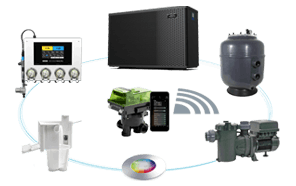
This allows you to integrate various functions of your pool system into a single user interface—tailored to your personal needs and existing technical equipment.
One Pool. One System. One Smart Home App.
Further information about iQnnect

Notes
- The iQnnect pool technology is suitable for private pools ranging in size from 5 × 3 × 1.5 m to 15 × 6 × 1.5 m. Depending on the pool size and individual requirements, different or additional products can be integrated.
- For iQnnect projects, we recommend collaboration between pool specialists and Loxone partners. We’d be happy to put you in touch with a partner near you.
- Loxone components are available through a Loxone partner or directly from Loxone.
- Loxone Miniserver and extensions are not included in the scope of delivery.
Ready
to take the first step?
Whether you’re planning a private pool or, as a professional contractor, looking for a reliable partner for your next project - we’re happy to help.
Simply fill out the form and tell us about your project. Our customer service team will receive your inquiry and get back to you promptly.
Our goal: to understand your needs, plan together, and find the right solution for your pool project.
Get started now – we look forward to your inquiry!

One Pool. One System. One Smart Home App.