 Deutsch
 English

With the Automation Designer, you can create custom if-then rules directly in the Loxone Smart Home App. This turns your pool into a smart, connected system that automatically responds to defined conditions - tailored to your personal needs.
- Comfortable
- Flexible
- Secure
- Premium quality

Smart Pool Automation with the Loxone Automatic Designer
The Loxone Automatic Designer is a powerful tool within the Loxone App. It allows you to create, manage, and customize your own automation rules for your iQnnect pool - without any programming knowledge or additional software.
Using the intuitive user interface, you can define directly in the app which conditions should trigger specific actions. This allows you to link different functions of your pool system together according to your individual requirements.
How the Loxone Automatic Designer works
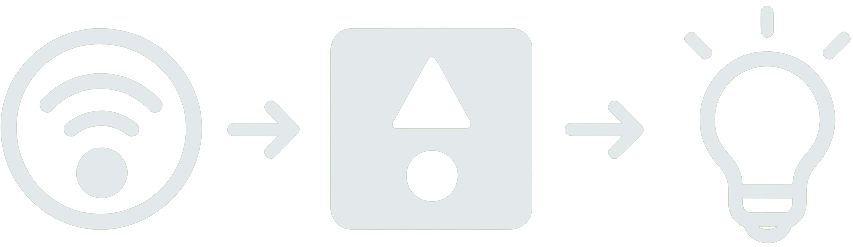
Simple principle: if-then logic
- IF a certain condition occurs
- THEN a defined action is automatically executed
Example:
IF the outside temperature falls below 5°C and a window is open,
THEN a voice message is automatically played or a push notification is sent.
What can be automated?
Time-controlled processes
Specify when certain functions should be executed automatically.
Example: "Close roller shutters every day at 1 p.m."
Weather-based actions
Link weather information to custom control rules.
Example: "Close open windows when it rains"
Status-dependent scenes
Define actions based on the current asset status or specific events.
Example: "Activate alarm when no one is home"
Comfort functions
Create your own custom routines for lighting, shading, and voice announcements.
Example: Automatic lighting or custom-configured shading.
Custom Pool Automation via App
With the Loxone Automatic Designer, you can create and manage a wide variety of custom automation rules directly in the app. You can create, activate, or edit new rules yourself.
By flexibly combining different conditions using AND and OR operators, you can also implement more complex control scenarios.
Whether time- or status-dependent, weather-controlled, or sensor-based: You determine which events trigger specific functions of your pool system.
The actions to be performed can also be customized. Depending on the existing system configuration, you can control devices, activate defined scenes, change operating modes, or play specific voice announcements via text-to-speech.
The automation rules can be adjusted directly by the user at any time. No programming skills or special technical knowledge are required.
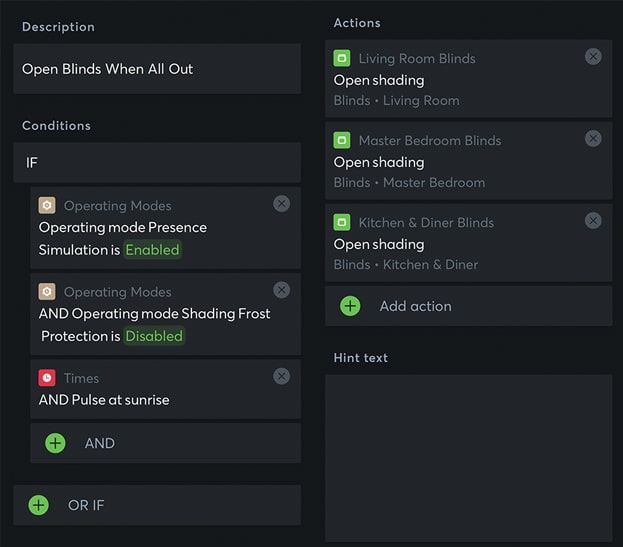
Even complex scenarios can be mapped using the Loxone Automatic Designer.
Practical Application: iQnnect & Loxone in Pool Automation
In combination with iQnnect, the Loxone Automatic Designer offers numerous options for individually controlling, monitoring, and linking the functions of your pool system.
The following practical examples show how different requirements can be implemented using automated workflows.
Event-dependent modes
Combine multiple pool functions to create customized workflows.
- Description Pool Party mode
- ConditionsIF
- Manual activation via app
- Actions
- Color change of underwater lighting
- Filter pump to higher power
- Activate counter-current system
- Description Away mode
- ConditionsIF
- No pool use > 24 hours
- Actions
- Lower water temperature
- Reduce filter runtime
Automated water quality management
Use sensor data to automatically control selected functions of your pool system.
- Description Water level check
- ConditionsIF
- Water level falls below minimum
- Actions
- Activate automatic refill
- Warning message via text-to-speech
- Description pH/redox value monitoring
- ConditionsIF
- pH value rises above limit value
- Actions
- Send notification to user
Weather-dependent automation
Incorporate external weather data into the control system for your pool.
- Description Rain detection
- ConditionsIF
- Rain detected (via online weather service)
- Actions
- Close pool cover
- Pause heating
- Description Use of sunlight
- ConditionsIF
- UV-Index > 5
- Actions
- Activate solar heating
- Dim lighting
Safety and maintenance functions
Keep an eye on the key operating parameters of your pool system.
- Description Filter monitoring
- ConditionsIF
- Filter pressure exceeds limit value
- Actions
- Start backwashing automatically
- Send technician notification
- Description Frost protection
- ConditionsIF
- Outside temperature < 2°C
- Actions
- Run pumps in frost protection mode
- Activate heating circuit
User interaction via the app
Combine manual control options with custom automation rules.
- Description Quick clean button
- ConditionsIF
- Button pressed in the app
- Actions
- Filter pump at maximum power
- Start timer for 2 hours
- Description Vacation mode
- ConditionsIF
- Time control (e.g., 14 days)
- Actions
- Automatic chemical dosing
- Activate motion detector
More Control. More Convenience. Less Effort.
With the Loxone Automatic Designer, you can design custom control sequences for your smart home and pool system.
Combine different functions and define exactly how your system should respond to specific conditions and events.
The system is suitable both for end customers who want to configure their pool technology themselves and for specialist partners and professionals who implement flexible automation solutions for custom pool projects.
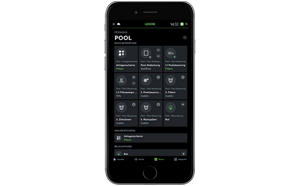
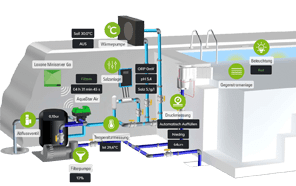
One Pool. One System. One Smart Home App.
Further information about iQnnect

Notes
- The iQnnect pool technology is suitable for private pools ranging in size from 5 × 3 × 1.5 m to 15 × 6 × 1.5 m. Depending on the pool size and individual requirements, different or additional products can be integrated.
- For iQnnect projects, we recommend collaboration between pool specialists and Loxone partners. We’d be happy to put you in touch with a partner near you.
- Loxone components are available through a Loxone partner or directly from Loxone.
- Loxone Miniserver and extensions are not included in the scope of delivery.
Ready
to take the first step?
Whether you’re planning a private pool or, as a professional contractor, looking for a reliable partner for your next project - we’re happy to help.
Simply fill out the form and tell us about your project. Our customer service team will receive your inquiry and get back to you promptly.
Our goal: to understand your needs, plan together, and find the right solution for your pool project.
Get started now – we look forward to your inquiry!
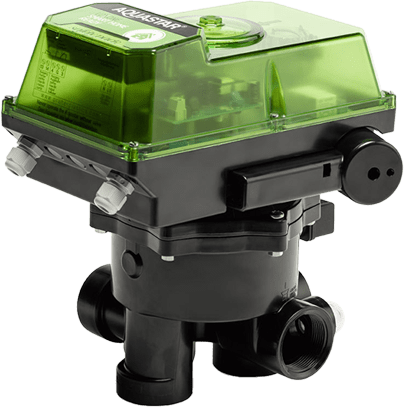

One Pool. One System. One Smart Home App.